10 Resume Mistakes That Get Freshers Auto-Rejected
You are not getting rejected because you are underqualified. You are getting filtered out by software before a human ever reads your CV. Here are the 10 resume mistakes freshers make — and the exact fix for each.
You sent out forty applications last month. You heard back from none. It is easy to assume you are underqualified — but that is usually not the reason. Qualified candidates get filtered out every single day, not because they lack skills, but because their CV was never built to pass the software that reads it first. The most common resume mistakes freshers make have nothing to do with talent and everything to do with formatting an Applicant Tracking System (ATS) cannot parse.
An ATS is the software most companies in India and the Gulf use to scan every CV before a recruiter sees it. If the software cannot read your name, your skills, or your role titles cleanly, you are ranked low or dropped entirely — silently. No email. No feedback. Just silence. Fix the ten mistakes below and you stop being invisible to the system.
The resume mistakes freshers make before a human ever sees the CV
Here is the part nobody tells you. Roughly the first pass on your CV is not done by a person. It is done by a parser that pulls text out of your file and drops it into database fields — name, email, skills, experience, education. When your layout confuses that parser, your real strengths never make it into the fields recruiters search on. So a strong candidate with a broken layout loses to an average candidate with a clean one.
That is the theme running through all ten mistakes. Each one either breaks parsing, wastes the tiny amount of attention you get, or signals that you copied an outdated template. Let us go through them, worst first, with a bad-versus-good example you can copy today.
1. Using the old bio-data format (photo, DOB, father's name, marital status)
This is the single biggest giveaway that a fresher used a decades-old template. A photo, date of birth, father's or husband's name, religion, and marital status belong to the bio-data era — not a modern CV. Worse, a photo often sits inside an image or table that the ATS cannot read, pushing the parser off track for everything that follows. Recruiters abroad and at multinational firms are also trained to ignore these fields for bias reasons.
Bad: Name, Photo (top-right box), Father's Name: ..., Date of Birth: ..., Marital Status: Single, Religion: ...
Good: Name, one line with phone, email, city, and LinkedIn URL — nothing personal, no photo, no table around it.
2. A vague objective that says nothing
The classic fresher opener — "seeking a challenging position in a reputed organisation to utilise my skills" — tells the reader nothing and tells the ATS nothing. It contains zero of the keywords a recruiter searches for. Replace the objective with a two-line summary that names your field, your top skills, and what you want to do. If you want worked examples, read our guide on resume summary examples for freshers.
Bad: "To secure a challenging role in a growth-oriented company where I can utilise my abilities and grow with the organisation."
Good: "Computer Science graduate with internship experience in Python and SQL. Built two data dashboards and looking for a junior data analyst role in a product team."
3. No keywords pulled from the job description
Every job posting is a keyword list in disguise. The ATS ranks you partly on how many of those exact terms appear in your CV. Freshers send the same generic document to every role and match almost none of them. Read the job description, list the skills and tools it names, and make sure the ones you genuinely have appear in your CV using the same words the posting uses.
Bad: JD asks for "data visualisation" and "Power BI"; your CV says "made charts and reports."
Good: Your skills and a bullet both use the exact terms "data visualisation" and "Power BI" because you have actually used them.
4. Graphics, columns, and design templates that break ATS parsing
Those pretty two-column templates with sidebars, icons, progress bars, and skill "rating" dots look great to your eye and read as garbage to a parser. Text in two columns often gets read straight across, mixing your left and right columns into nonsense. Icons and images carry no text at all. Skill bars tell the ATS nothing — a filled circle is not a searchable word.
Bad: A designer template with a coloured left sidebar holding your contact details and skills as little dots.
Good: A single-column layout, standard fonts, real section headings, and skills written as plain words. CVPassport templates are single-column and ATS-tested for exactly this reason.
Good: A single-column layout, standard headings, and skills as plain text. You can check your ATS score free to confirm your current file parses cleanly before you apply.
5. No quantified results — only duties
Freshers assume they have nothing to quantify because they have no full-time job yet. Not true. Internships, college projects, fests, and part-time work all have numbers — team size, hours saved, marks improved, footfall, budget, users. A number turns a vague duty into proof of impact and makes the bullet far more scannable.
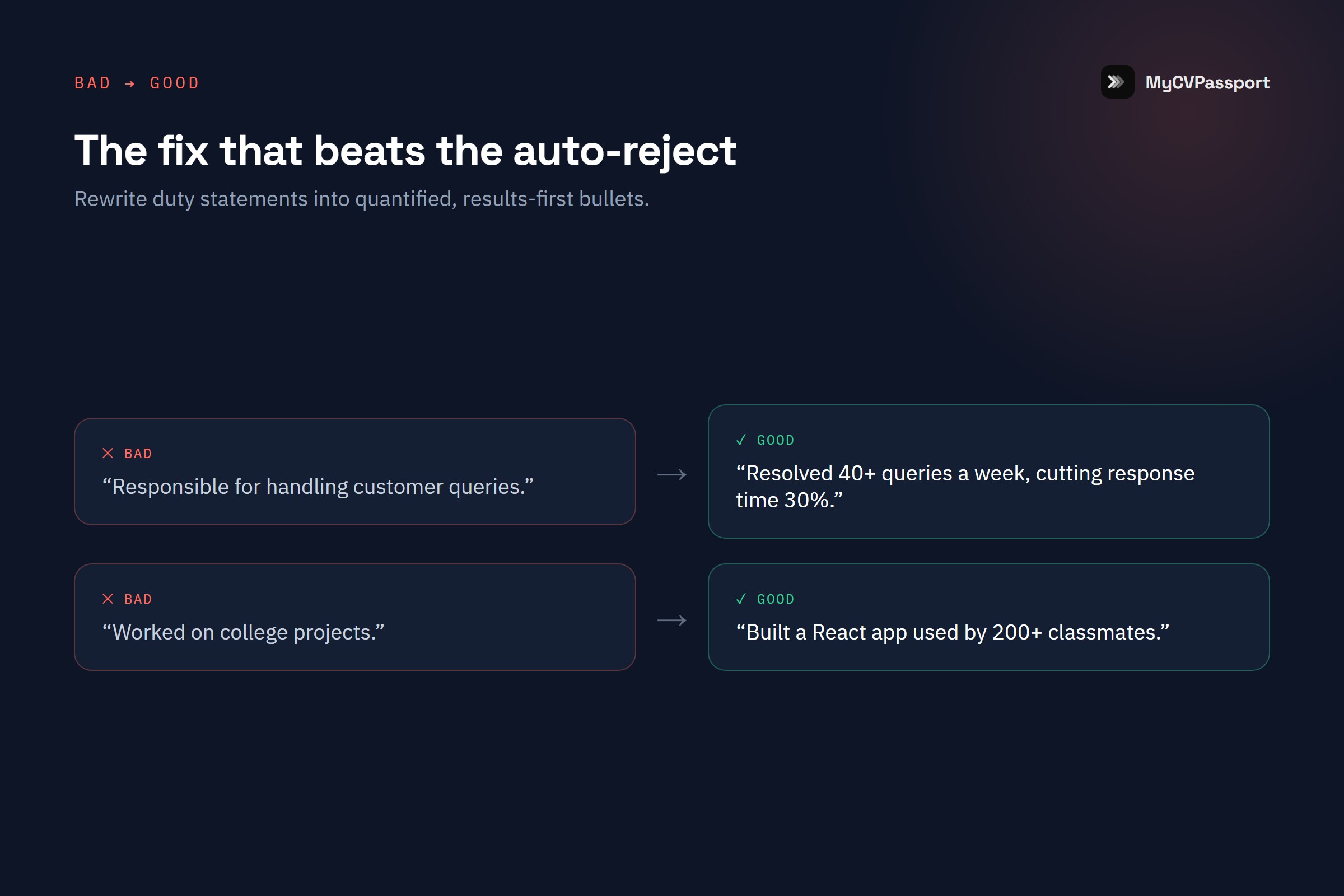
Bad: "Responsible for managing social media for the college fest."
Good: "Ran Instagram for the college fest — grew followers from 400 to 2,100 and drove 300+ event registrations in 6 weeks."
6. A careless or unprofessional file name
"Resume final final2.pdf" or "CV.docx" or "new resume copy.pdf" — a recruiter downloads a hundred of these a week. A messy file name reads as careless before the file is even open, and generic names get lost in a downloads folder. Name the file so a human can find it and a system can tag it: your name and the word resume.
Bad: "resume_final_v3 (2).pdf"
Good: "Aisha-Khan-Resume.pdf" — full name, the word Resume, no spaces or version numbers.
7. Spelling errors and inconsistent tense
One typo in your own job title or your degree name is enough to end the conversation, because it signals you did not proofread the one document meant to represent your care. Tense matters too — current roles use present tense, past roles use past tense — and mixing them mid-CV reads as sloppy. Read every line aloud, then have one other person check it.
Bad: "Manageing team of 5. Responsible for reports. Increase sales."
Good: "Managed a team of 5 and produced weekly reports that helped increase sales by 12%."
8. One generic resume sent to every role
A single one-size-fits-all CV is the fastest way to match nothing. A backend role and a support role want different keywords, so the same document ranks weakly for both. You do not need to rewrite from scratch each time — keep one strong base CV, then swap the summary line and reorder skills to match each job's language. Ten minutes of tailoring beats forty untargeted applications.
Bad: The identical PDF fired at a developer role, an analyst role, and a QA role in the same hour.
Good: A base CV where the summary and top skills are quickly re-tuned to echo each specific job description.
9. Listing every skill you have ever touched
A skills section with forty entries — MS Word, Photoshop, C, C++, Java, Python, teamwork, leadership, cooking — dilutes the ones that matter and looks padded. The ATS gives no bonus for volume, and a recruiter reading it assumes you are a beginner at all of them. List the 8 to 12 skills that are relevant to the role and that you can actually defend in an interview.
Bad: "Skills: MS Office, Python, Java, C, C++, HTML, CSS, JS, SQL, Photoshop, Leadership, Teamwork, Communication, Hard-working, Quick learner."
Good: "Skills: Python, SQL, Pandas, Excel, Power BI, Git — plus data cleaning and dashboard building."
10. No LinkedIn, and contact details buried in the header
Two problems, one fix. First, no LinkedIn URL — recruiters expect one, and its absence reads as an incomplete profile. Second, putting your phone and email inside the document header or footer, which many parsers skip entirely, so your contact details silently vanish from the ATS. Put your contact line in the normal body of the page, right under your name, and include a clean LinkedIn URL.
Bad: Phone and email tucked into the Word header bar; no LinkedIn anywhere.
Good: "Aisha Khan — Bengaluru | +91 90000 00000 | aisha@email.com | linkedin.com/in/aishakhan" placed in the body, directly under the name.
The 10 mistakes at a glance
| Mistake | Why it hurts | Quick fix |
|---|---|---|
| Bio-data format | Breaks parsing, dated | Drop photo, DOB, personal fields |
| Vague objective | No keywords, no signal | Two-line targeted summary |
| No JD keywords | Ranks low in ATS | Mirror the job's exact terms |
| Graphics / 2 columns | Parser reads garbage | Single-column, plain text |
| No numbers | Reads as duties, not impact | Add one metric per bullet |
| Bad file name | Careless, gets lost | Name-Resume.pdf |
| Typos / tense | Ends the read instantly | Proofread aloud + one checker |
| Generic CV | Matches nothing well | Tailor summary + skills |
| Every skill listed | Dilutes, looks padded | 8 to 12 relevant skills |
| No LinkedIn / hidden contact | Details vanish from ATS | Contact in body + LinkedIn URL |
None of these fixes require more experience. They require a CV built to be read by the system first and the human second. If you are staring at a blank page with no work history yet, start with our walkthrough on how to write a resume with no experience and build up from there.
The fastest way to get all ten right at once is to use a builder that enforces clean structure for you — single-column layout, real headings, a live ATS score as you type, and AI that rewrites weak bullets into quantified ones. That is exactly what CVPassport is built to do, and you can start free with no credit card.
Frequently Asked Questions
What is the difference between a resume and a bio-data?
A bio-data is the older Indian format that includes personal details like photo, date of birth, father's name, religion, and marital status. A resume is a skills-and-experience document with none of that — it leads with your summary, skills, projects, and education. For any modern job, especially at multinationals or in the Gulf, use a resume, not a bio-data. The personal fields add legal and bias risk and confuse the ATS.
Do I really need to remove my photo from my CV?
For almost every role in India and the Gulf, yes. A photo is usually placed in an image or table that parsers cannot read, which can break the layout around it. It also invites bias and is simply not expected on a professional CV. Unless a job explicitly asks for a photo, leave it off.
How do I know if my resume is ATS-friendly?
The quickest check is to run it through a free ATS checker that reads your file the way the software does and flags parsing problems, missing sections, and weak keyword matches. You can check your ATS score free on CVPassport in under a minute and see exactly what a recruiter's system sees.
Should freshers use one page or two?
One page. As a fresher you do not have enough relevant experience to justify two, and a tight one-page CV forces you to keep only what matters. Once you have several years of experience, two pages becomes reasonable — but not yet.
How many skills should a fresher list?
Between 8 and 12 relevant skills is the sweet spot. Enough to match the keywords a job searches for, few enough that each one looks genuine and defensible in an interview. Cut anything you cannot speak about confidently for two minutes.
Is CVPassport really free for freshers?
Yes — you can start free with three ATS-tested templates and no credit card. You get a live ATS score and clean single-column output from the first draft, so you can fix every mistake in this list before you ever hit apply.